All updates
v1.4.2
Feature update
Woday 1.4.2: Faster everywhere, flexible notes and a rebuilt table view
Move faster across Woday, convert tasks, notes and events, transform note blocks, and work with a rebuilt table view. Plus smarter date shortcuts, easier scheduling and important sync fixes.
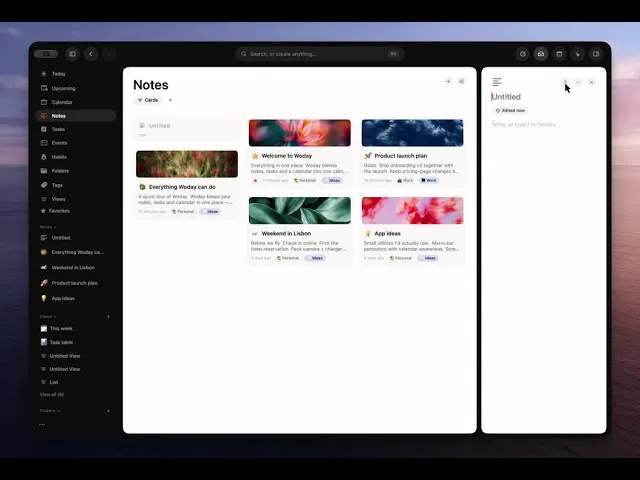
Woday 1.4.2 is now available. This update makes everyday navigation much faster, gives you more ways to work with notes, tasks and events, and brings a rebuilt table view for organizing your work.
What’s New
Faster everywhere
Navigation and page switching are quicker, moving between months is instant, and notes and tasks open with less waiting.
Convert tasks, notes and events
Use “Convert to” from an item’s more menu to turn any task, note or event into another type. You can also keep the original and create a converted copy.
Turn note blocks into something new
Click a block’s handle to change its type or run AI actions such as summarize, rewrite and translate. Duplicate, Copy and Delete are available from the same menu.
Better block selection
Drag a visible selection box across blocks to select several at once. Press ⌘A to select the whole note.
A more comfortable notes view
Notes now use a comfortable, fixed reading width in a fully responsive layout. Double-click a note to open it in full view. Media blocks and tables use the full available width.
A rebuilt table view
Work with collapsible groups, “+ Add” rows, drag and drop, and expandable subtasks. New items are inserted into the right group.
Smarter typing shortcuts
Use @ dates for Someday, months and weeks, including entries like “october” and “week 45”. Type $ to assign a folder without leaving the line you’re writing.
Quick Look for files and images
Preview attachments and images with Quick Look without leaving your workflow.
Faster scheduling and organization
Drag cards onto the Today day slider to reschedule them. Rename folders and tags directly from their page title, and create tasks and events from any folder or tag page. New items appear at the top of their group.
Fixes & Polish
Fixed a crash after deleting demo data
Fixed far-future tasks getting stuck in Today
Fixed missed Apple Reminders sync changes
Fixed @ date shortcuts in Today’s note
Many smaller fixes and refinements throughout the app
Newer update
Woday 1.4: Saved Views, table layout and habits
Older update
Woday 1.3: Folders for everything, tag pages and a sharper launcher
Always on the latest version
Woday checks for updates automatically. To install a new version right away, choose Check for Updates in the Woday menu.